
Formal Analysis in Requirements Specification
Let us say we want to build a small appointment booking app for a salon. A product manager might write,
Build a salon appointment booking app where customers can book appointments with stylists. Stylists must be able to set their own schedules, and all appointments must be within their schedule.
Here, the requirements look simple. For a real application, there are many unanswered questions (like how many stylists, who manages the stylists and so on) and a full requirements document might span multiple pages. For now, let us focus on these two lines alone as stated. Are there any ambiguities? Are they consistent? Are they complete? Are they testable? And more importantly, if we give them to a software engineer or a coding agent, will it build what we actually want?
To reduce ambiguity in requirements wording, many organizations use the Easy Approach to Requirements Specification (EARS) notation. For example, the above requirements become,
R1: THE SYSTEM SHALL allow the stylist to set their work schedule.

R2: THE SYSTEM SHALL allow a customer to book an appointment with the stylist.

R3: THE SYSTEM SHALL ensure that all appointments are within the stylist's schedule.
At first glance this set of requirements might seem well specified. But the requirement R3 is not directly testable. It describes a property, constraints and data invariants that must hold across states, rather than an observable behavior we can test with a test case.
Invariants cannot be tested. You can only test for preconditions and postconditions. Invariants must be reasoned about from these testable pre- and post- conditions.
To make it testable, we need to describe the behaviors that establish this property. For example, what should happen when a customer requests a slot within the stylist's schedule? What should happen when they request a slot outside it?
In this article, we will see how to make requirements complete, unambiguous, consistent, and testable.
To do that, we need a way to describe not only the properties we want the system to satisfy, but also how those properties relate to the actions that change the system. Dynamic Logic, also known as the Logic of Actions, provides a way to express these relationships.
Formal modeling with Dynamic Logic
Dynamic Logic is a formal approach to reasoning about what actions or operations can happen and how they affect the state.
A short tutorial on Dynamic Logic
Dynamic logic introduces two notations.
[A]p: When action A happens, p must always hold.
e.g. [Rain]GroundIsWet
<A>p: When action A happens, it must be possible p holds.
e.g. <Sun>GroundIsDry
That is, if it rains, the ground will get wet. But when there is sun, the ground may dry out sometimes.
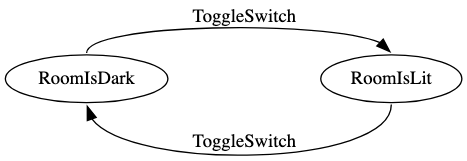
Often, an action has a precondition that must hold before it can produce a particular result:
For example:
For practical applications, we often specify an initial state before any modeled actions occur. For example, mark the dark state as the initial state.
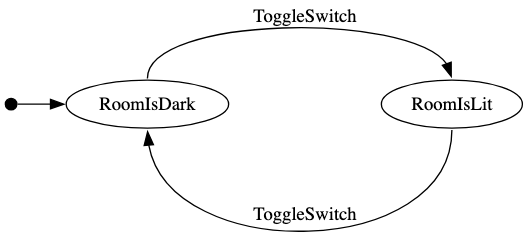
We could also use variables instead,
room="dark" -> [ToggleSwitch] room="lit"
room="lit"  -> [ToggleSwitch] room="dark"
At this point, we could model our salon appointment system.
Modeling salon appointment booking system
Let's model a simplified version of the requirements: a single stylist, a single customer, and a single time slot.
init:
    ¬scheduled_to_work  # read it as `not scheduled to work`
    ¬appointment_booked

# R1:
<set_schedule> scheduled_to_work
<set_schedule> ¬scheduled_to_work

# R2:
[book_appointment] appointment_booked

# R3:
appointment_booked → scheduled_to_work
Note: appointment_booked → scheduled_to_work is standard predicate logic expression, there is no action here. That is, if the appointment is booked then the stylist must be scheduled to work. This is usually expressed as not appointment_booked or scheduled_to_work in standard programming languages like Python.
Note: This is a simplified model for pedagogical purposes. FizzBee.ai can generate a much more detailed specification, including roles such as Customer and Stylist, multiple time slots, and explicit definitions of who can perform each action.
Verification with FizzBee
Let us convert the above model into FizzBee specification language.
action Init:
    scheduled_to_work = False
    appointment_booked = False

# R1
atomic action SetSchedule:
    scheduled_to_work = oneof [False, True]

# R2
atomic action BookAppointment:
    appointment_booked = True

# R3
always assertion BookingsInSchedule:
    return not appointment_booked or scheduled_to_work
You can run this spec directly in the FizzBee online playground or install and run FizzBee locally. Each FizzBee snippet in this tutorial includes an Open in FizzBee Playground link above the code that opens the spec with the code pre-filled.
When you run it, you will see a trace like this.
This error is obvious. We did not add a precondition to check if the stylist is scheduled to work before booking the appointment.
This changes R2.
# R2:
scheduled_to_work → [book_appointment] appointment_booked
In EARS, R2 becomes more specific, and we add R2b to handle the rejection case.
R1: THE SYSTEM SHALL allow the stylist to set their work schedule.

R2: WHEN a customer requests a slot within the stylist's work schedule,
    THE SYSTEM SHALL book the appointment.

R2b: IF a customer requests a slot that is not within the stylist's work schedule,
     THEN THE SYSTEM SHALL reject the request.

R3: THE SYSTEM SHALL ensure that all appointments are within the stylist's schedule.
Review the requirements again. Do you see any issues? R3 appears to be a direct implication of R2 and R2b.
Before we change much, let us check with FizzBee.
# R2
atomic action BookAppointment:
    require scheduled_to_work    # <---- Add this precondition
    appointment_booked = True
When you run it again in the playground, you will see a longer trace,
This is a less obvious error. What this error shows is that if the stylist marks themselves as not working after an appointment is booked, the old appointment still remains in the system.
The Missing Requirement
The issue FizzBee found is,
- Stylist sets their schedule as 9am - 5pm
- Customer books the 9am slot
- The stylist changes their schedule to 10am - 6pm.
What should happen to the 9am appointment?
Option 1: Block update on conflict
Do not let the stylist change the schedule if there is already a booking.
# R1
atomic action SetSchedule:
    require not appointment_booked  # <--- Precondition
    scheduled_to_work = oneof [False, True]
This will fix the issue. However, from a product perspective, if a stylist wants to call in sick, the system prevents them from updating their schedule. In most cases, the stylist would not show up and the customer will be unhappy.
Option 2: Cascade cancel
Automatically cancel the appointment.
atomic action SetSchedule:
    scheduled_to_work = oneof [False, True]
    appointment_booked = appointment_booked and scheduled_to_work  # <-- Cancel the appointment
This also resolves the invariant violation, but it may lead to a poor user experience. Silently canceling an appointment when a stylist calls in sick is rarely what the business owner intends.
Option 3: Allow the change and explicitly handle affected appointments
Let the schedule change go through and mark these exceptions for the salon manager to reschedule (probably after contacting the customer) to a different stylist or different time.
This option is probably suitable only with multi-stylist salons and introduces new actors and use-cases. This is a product decision the product owner should make. Formalizing the requirements helps identify these gaps early.
So far, we have deliberately simplified the model. The formal model captures the important state and invariant, but it has lost some information from the original requirements: who performs each action.
Modeling Actors and Use Cases
Let's get back to the formal FizzBee model. This is the spec we have so far.
Assume we chose Option 2 (cascade cancel) to automatically remove conflicting appointments when updating the schedule.
action Init:
    scheduled_to_work = False
    appointment_booked = False

# R1
atomic action SetSchedule:
    scheduled_to_work = oneof [False, True]
    appointment_booked = appointment_booked and scheduled_to_work

# R2
atomic action BookAppointment:
    require scheduled_to_work
    appointment_booked = True

# R3
always assertion BookingsInSchedule:
    return not appointment_booked or scheduled_to_work
Here, we haven't modeled the actors or use cases yet. Who sets the schedule? Who books the appointment? FizzBee supports object-oriented modeling through role definitions.
role Stylist:
    atomic action SetSchedule:
        scheduled_to_work = oneof [False, True]
        system.set_schedule(scheduled_to_work)

role Customer:
    atomic action BookAppointment:
        system.book()
As a convention for requirements analysis, we use the role System to represent the system itself.
role System:
    action Init:
        self.scheduled_to_work = False
        self.appointment_booked = False

    atomic func set_schedule(working):
        self.scheduled_to_work = working
        self.appointment_booked = self.appointment_booked and self.scheduled_to_work

    atomic func book():
        require self.scheduled_to_work
        self.appointment_booked = True
Now the init action and assertions become:
action Init:
    system = System()
    stylist = Stylist()
    customer = Customer()

always assertion BookingsInSchedule:
    return not system.appointment_booked or system.scheduled_to_work
You could run this in the FizzBee playground.
You can also explore the state changes interactively using state diagrams and sequence diagrams. In a later article, we will show how to formally model UI behavior and generate interactive prototypes.
Defining multiple actor instances
Let us add another requirement. Allow a customer to cancel their appointment. If you wrote it in EARS format, it would look like this.
R4: WHEN a customer requests to cancel an appointment, THE SYSTEM SHALL cancel the appointment if it belongs to that customer.
R4b: IF a customer requests to cancel an appointment that belongs to another customer, THEN THE SYSTEM SHALL reject the cancellation request.
For this, we would need multiple customer instances. Change the Init action as follows. (Standard python-like code)
action Init:
    system = System()
    stylist = Stylist()
    customers = []
    for _ in range(2):
        customers.append(Customer())
Each role instance has an __id__ field that the customer should include in the request.
role Customer:
    atomic action BookAppointment:
        system.book(self.__id__)
To record who made the booking, we can change appointment_booked to store the customer's ID, or None when there is no booking.
So the full spec becomes,
role Stylist:
    atomic action SetSchedule:
        scheduled_to_work = oneof [False, True]
        system.set_schedule(scheduled_to_work)

role Customer:
    atomic action BookAppointment:
        system.book(self.__id__)

    atomic action CancelAppointment:
        system.cancel(self.__id__)

role System:
    action Init:
        self.scheduled_to_work = False
        self.appointment_booked = None

    atomic func set_schedule(working):
        self.scheduled_to_work = working
        if self.appointment_booked and not self.scheduled_to_work:
            self.appointment_booked = None

    atomic func book(customer_id):
        require self.scheduled_to_work
        # A precondition is underspecified
        self.appointment_booked = customer_id

    atomic func cancel(customer_id):
        require self.appointment_booked == customer_id
        self.appointment_booked = None

action Init:
    system = System()
    stylist = Stylist()
    customers = []
    for _ in range(2):
        customers.append(Customer())

always assertion BookingsInSchedule:
    return not system.appointment_booked or system.scheduled_to_work
Run this in the playground, it would pass (with 4 unique states).
Notice that there is still an unspecified behavior that our formal assertion did not catch. This is an important reminder: formal methods don't automatically find every bug. The results are only as good as the properties and assertions we specify.
Formal Specification as an Executable Specification
The specification we have already used for model checking can also serve as an interactive model of the system. Instead of reading the requirements as a static document, stakeholders can explore possible behaviors and see the resulting state changes.
This makes it possible for engineers, product managers, and other stakeholders to interact with the specification and discover whether it matches their intended behavior.
On the playground, enable the whiteboard and run the model checker again. It should create another link 'Explore'. Click on that.
The initial state appears on the right.
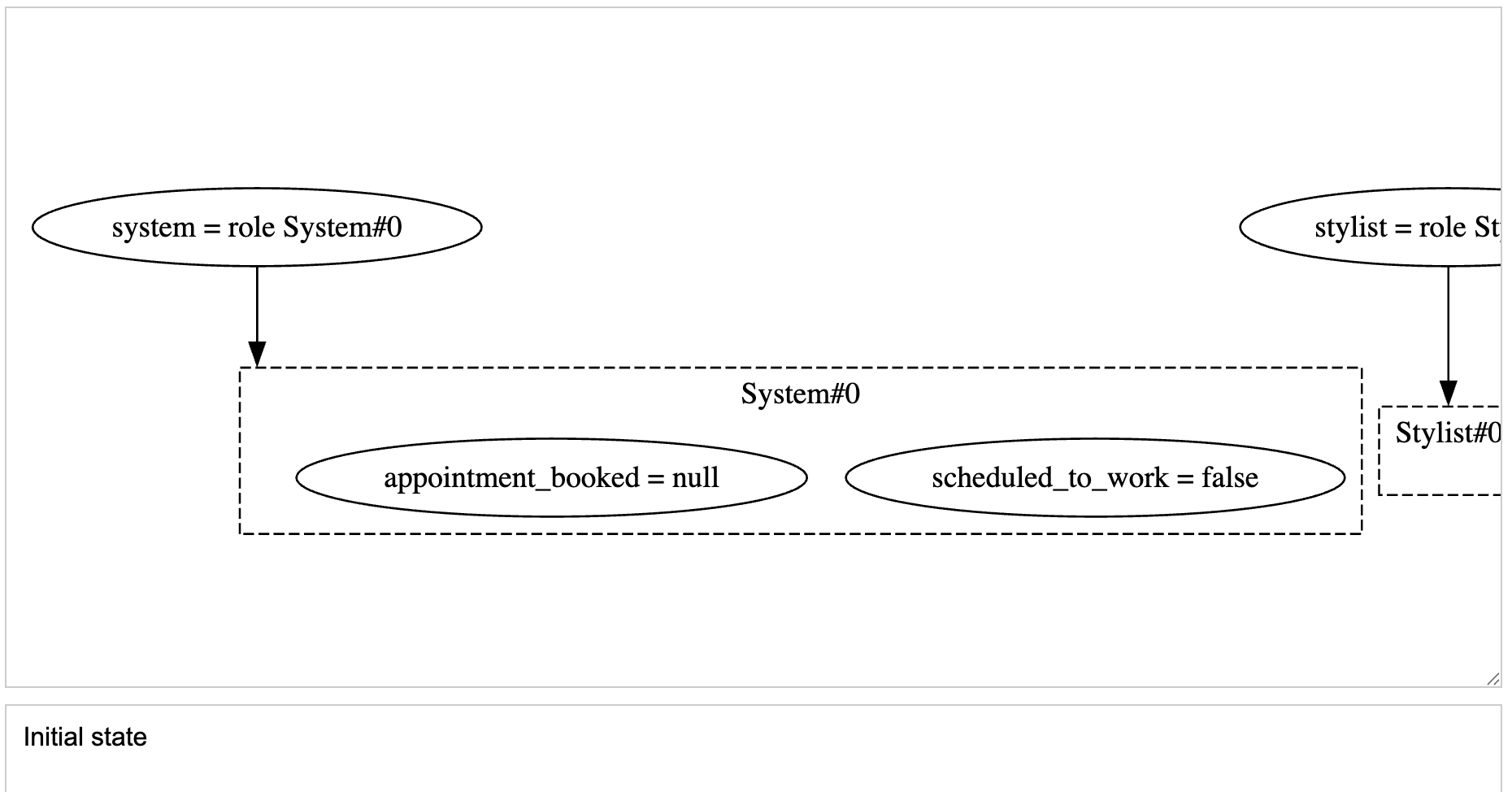
On the left, you'll see the available actions. Click Stylist#0.SetSchedule.
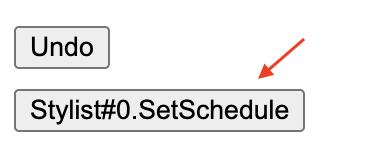
Select true.

The state changes to
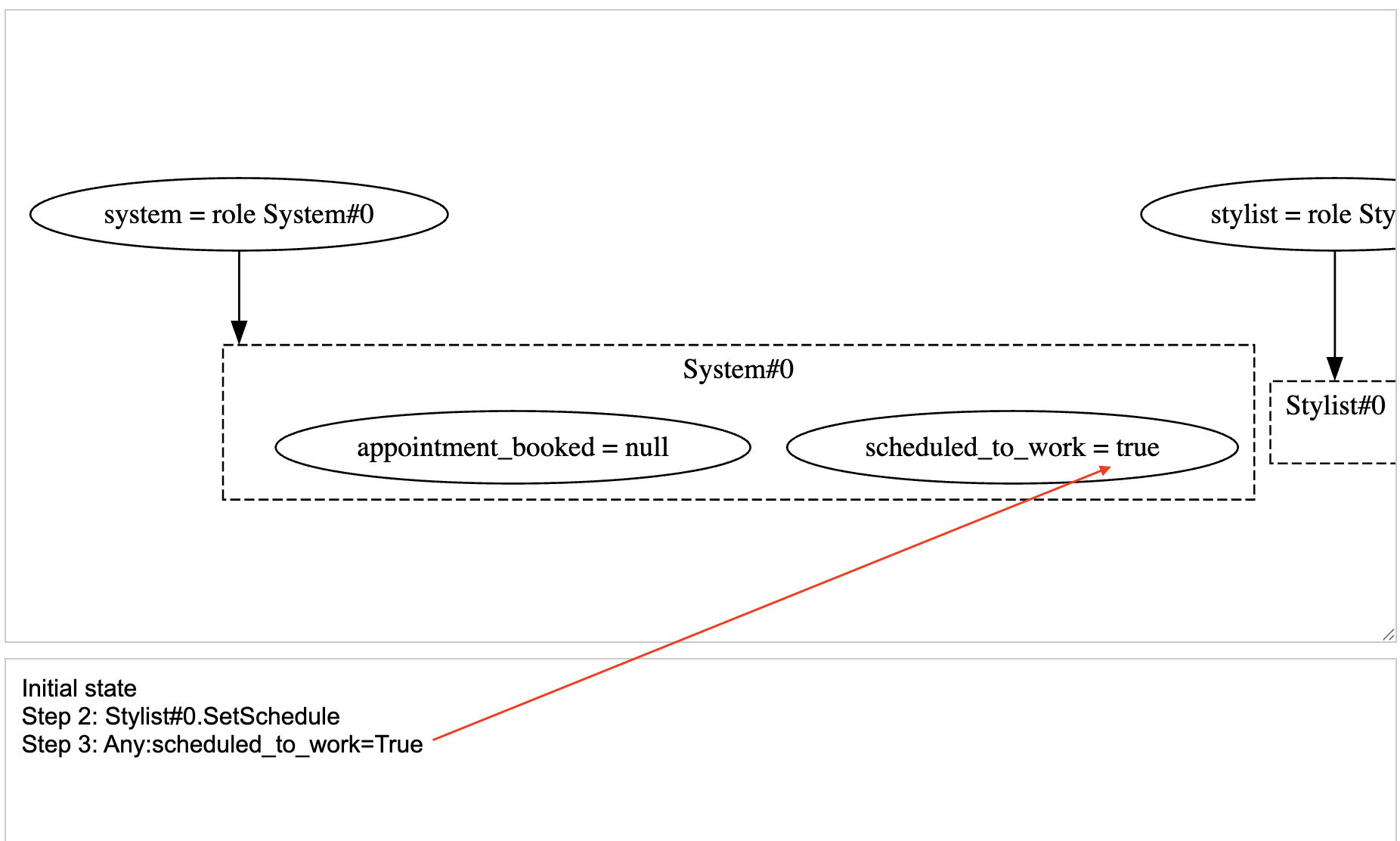
Now click the button to book an appointment for Customer#0.

The state now shows the booked appointment.
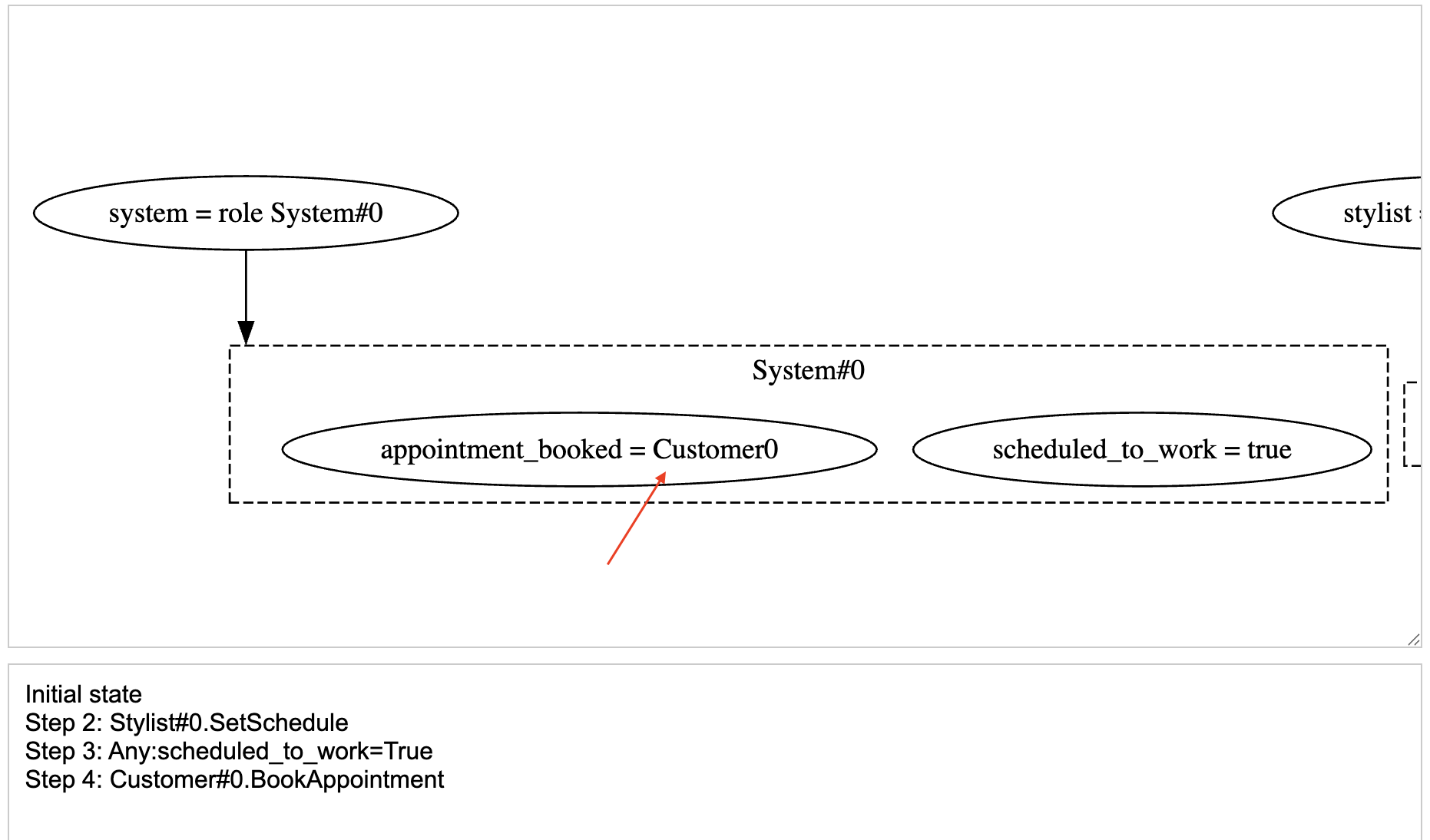
But on the left, you'll still see buttons allowing either customer to book the appointment.

Click it. You'll see that the state changes and Customer#0's booking is overwritten by Customer#1.
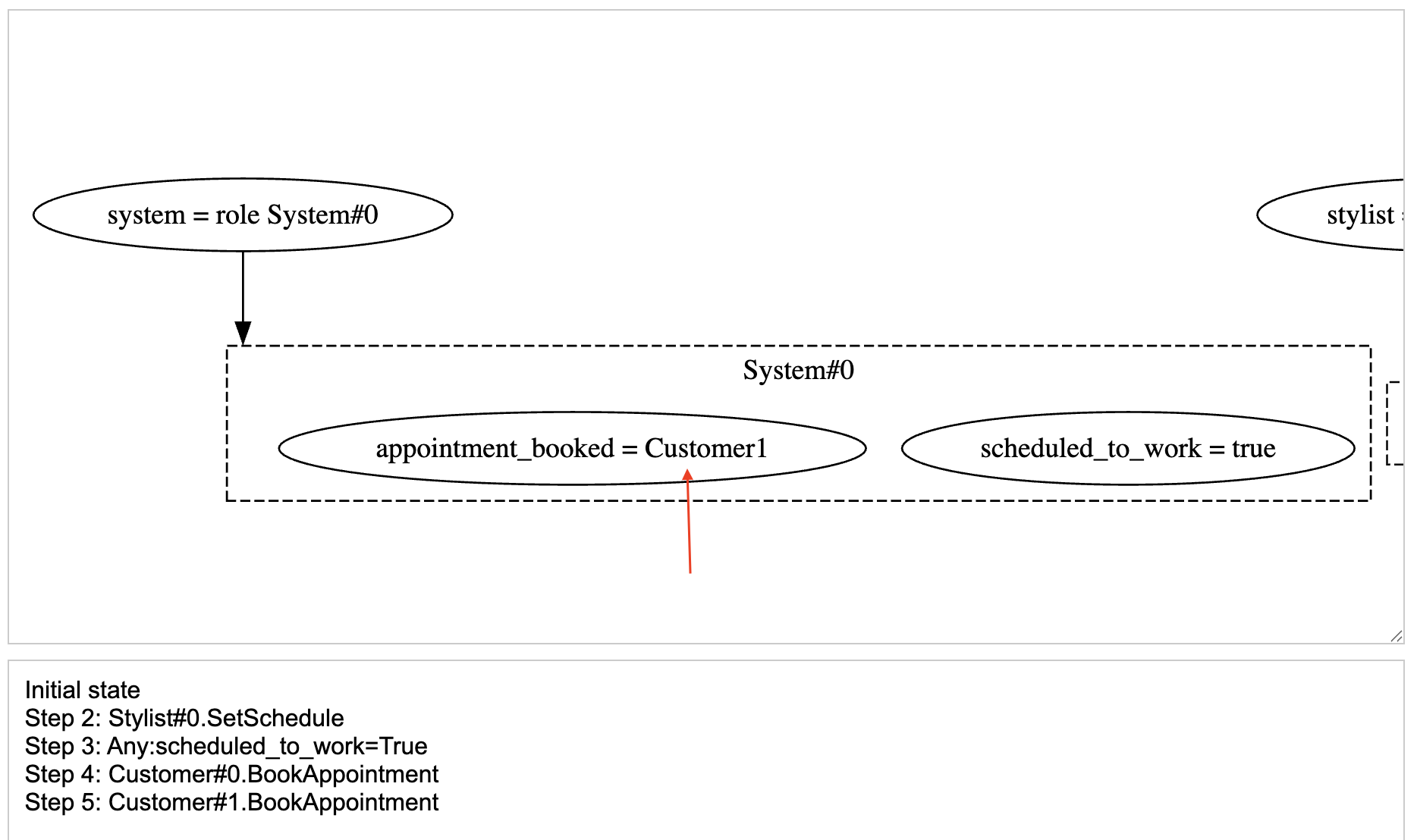
Having an executable specification helps us to simulate and explore the behaviors specified, making it easy to visualize and review if the specification captures the intended behavior.
Here, we saw the behavior visualized as whiteboard-like diagrams. FizzBee.ai can take this further by generating interactive UX prototypes that let non-technical stakeholders explore the behavior.
Fix: Reject overwriting appointment
The fix is trivial. In the EARS format,
R2c: IF a customer requests a slot that is already booked, THEN THE SYSTEM SHALL reject the request.
In FizzBee,
    atomic func book(customer_id):
        require self.scheduled_to_work
        require not self.appointment_booked  # <-- R2c
        self.appointment_booked = customer_id
Optionally, you can include a transition assertion like this, that fails on the invalid state transitions.
transition assertion NoOverwritingAppointment(before, after):
    return ((not before.system.appointment_booked)
            or (not after.system.appointment_booked)
            or (before.system.appointment_booked == after.system.appointment_booked))
Testing
As we now have the executable specification that generates the full state transition graph, we can use it to extensively and automatically test the implementation, without having to enumerate each test case.
Bisimulation and Model Based Testing
One approach is to execute corresponding traces against the model and the implementation and compare their resulting behavior. This is the basis of model-based testing. In formal methods, stronger notions of behavioral equivalence, such as bisimulation, can be used to reason about equivalence between transition systems.
Passing those tests provides confidence that the implementation conforms to the model for the behaviors tested, but does not prove conformance for all possible behaviors.
Note: Bisimulation is often confused with Refinement. Refinement establishes whether the concrete system B exhibits a subset of the behaviors of the abstract system A, whereas bisimulation establishes that the two systems are equivalent.
Model based testing with FizzBee
FizzBee comes with a Model Based Testing solution in multiple languages including Go, Java, Rust and TypeScript (including browser testing with Playwright and standalone applications with Node.js). For more examples, you can check out https://github.com/fizzbee-io/fizzbee-mbt-examples
From a toy example to a real application
For this small example, we wrote the formal specification by hand so that we could see exactly how the requirements map to the model.
For a larger application, you don't necessarily need to write the specification from scratch. Coding agents can help translate requirements into FizzBee and refine the model as requirements evolve. FizzBee provides skills for AI coding assistants such as Claude Code, Cursor, and Gemini CLI, so the agent can understand the FizzBee language, run the model checker, debug specifications, and write model-based tests.
For a new application, another option is FizzBee.ai, which walks you through the requirements engineering process. You start with a prompt; the system asks targeted questions, generates a formal specification, and helps validate the requirements with stakeholders using generated prototypes.
Final words
In this post, we saw how seemingly obvious requirements can leave important behaviors unspecified, and how formal specification can expose those gaps quickly.
More importantly, we saw several practical benefits of making requirements executable:
- Find requirements gaps. Formalizing the requirements forces us to make implicit behaviors explicit and exposes decisions that the original requirements left unspecified.
- Check consistency. We can explore whether the requirements can all be satisfied at the same time, and uncover contradictions that may otherwise surface only during implementation.
- Specify behavior over time. Dynamic logic gives us a way to describe systems that change state, not just static relationships between values.
- Explore expected behavior. An executable specification lets stakeholders interactively explore the possible behavior of the system before it is implemented.
- Test the implementation against the specification. The same specification can serve as a test oracle for model-based testing, allowing us to compare the implementation against the behavior described by the requirements.
A .md file can describe what we want the system to do. An executable specification can describe it, check it, and let us explore it.
This is why executable formal specifications are particularly interesting for Specification-Driven Development. The goal isn't to replace the requirements document with a pile of formal notation. The goal is to turn requirements into an artifact that both humans and machines can reason about.
In the following posts, we'll look at more complex examples, ways to specify UX properties, model-based testing in more detail, and generating UX mocks from specifications.